
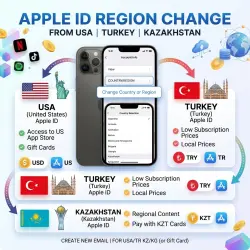
CHANGE THE REGION: USA | Turkey | Kazakhstan. Create an image using an Apple ID.
Important notice
Any third-party trademarks, brand names, and product names referenced on this website are used solely to identify the relevant goods/services and, where applicable, to indicate intended purpose or compatibility. No affiliation, authorization, sponsorship, or endorsement by the trademark owners is implied unless expressly stated.
✅ After payment, YOU WILL IMMEDIATELY receive complete instructions on how to change the region of your account to the USA. Changing the region without a card; all the necessary data — city, street, postal code, number — required to change the country on your Apple account.
🔥 You do not provide any of your own data; you do everything according to the instructions you receive, which provide a detailed, step‑by‑step guide with pictures showing how to correctly and safely change the region of your Apple account. The entire process takes no more than 5 minutes.
🛒 WHAT DO YOU GET?
✔ Instructions that provide a detailed overview of how and what needs to be done.
✔ Safe change of the region on your Apple account.
✔ All the necessary data for the change: Street, City, ZIP code, Number.
✔ Tax‑free store of the American App Store (no VAT will be charged on purchases).
💎 Advantage of this region:
Easy top‑up of your account using Gift cards in USD currency; availability of deleted apps from the Russian App Store.
📌 Important:
To change the region, it is necessary that the account (balance) There is no account.
 Top up
 Games
Games Discounts 90%
 AI
AI Windows
 Subsctiptions
 New Games
 Mobile Games