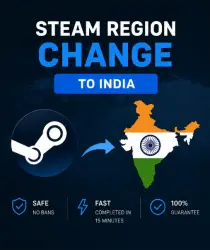
CHANGING YOUR STEAM REGION TO INDIA (ANY STEAM ACCOUNTS)
Important notice
Any third-party trademarks, brand names, and product names referenced on this website are used solely to identify the relevant goods/services and, where applicable, to indicate intended purpose or compatibility. No affiliation, authorization, sponsorship, or endorsement by the trademark owners is implied unless expressly stated.
❗ Important information for buyers❗
We work daily from 10:00 AM to 12:00 AM Moscow time.
Orders after 12:00 AM Moscow time are processed the next day.
⏱ Typically: 5–90 minutes
⌛ Maximum processing time: up to 24 hours after receiving the necessary information.
━━━━━━━━━━━━━━━━━━━
📋 AFTER PURCHASE
After payment, message us in the GGsel order chat and send:
🔐 Username + Password
📱 QR code via Steam Guard
After receiving the information, we will notify you when we begin processing your order.
If Steam Guard login confirmation is required, we will notify you in the chat.
━━━━━━━━━━━━━━━━━━
⚙️ HOW THE SHIFT WORKS
1. We receive your login information.
2. Log in to your account.
3. Make the required purchase on Steam.
4. We verify the region change.
5. We notify you when your order is complete.
6. Once completed, we provide information about the payment used to change the region.
⚠️ The game purchased for the region change is non-refundable.
━━━━━━━━━━━━━━━━━━
🌍 IMPORTANT ABOUT REGION
🔸 You can change your Steam region no more than once every 3 months.
🔸 After changing your region, your Steam balance is automatically converted to the currency of the new region according to Steam rules.
🔸 After changing your region, we recommend not making purchases or adding funds to your balance for at least 24 hours. Ideally, wait up to 72 hours.
🔸 New accounts may also be eligible for region changes, but in some cases, Steam may temporarily restrict this option.
━━━━━━━━━━━━━━━━━━
📧 EMAIL REQUIREMENTS
If you use mail.ru, rambler.ru, or another .ru domain, we recommend replacing your email address with a .com domain, such as Gmail, in advance.
━━━━━━━━━━━━━━━━━━━
🔐 STEAM GUARD
You don't need to disable Steam Guard.
If Steam asks you to confirm your login, we'll let you know exactly what you need to do.
When a QR code appears, you must confirm it through the Steam app within the system-set time. ━━━━━━━━━━━━━━━━━━
⚠️ RISKS AND LIMITATIONS
Changing your region involves using an IP address from a different region and may be restricted by Steam rules.
We carry out this process with the utmost care, but we cannot guarantee the absence of restrictions from Steam.
Particular attention should be paid to accounts that have previously been subject to restrictions or other suspicious activity.
For the China region, the risk of additional restrictions may be higher. If you do not have access to your original account information, we recommend considering this risk before placing an order.
If Steam requires verification of account ownership, you may be asked to provide your original email address, phone number, first purchase details, or other account owner information. ━━━━━━━━━━━━━━━━━━
💰 REFUNDS
We strive to fulfill every order successfully, but in some cases, Steam may not allow you to change your region due to account restrictions.
If the service cannot be completed due to account-related issues or Steam restrictions, a partial refund will be issued minus the payment service fee of 18-21%.
If you cancel the service after payment, the refund will also be made minus the payment service fee.
If we are unable to complete the order due to our fault, a full refund will be issued.
━━━━━━━━━━━━━━━━━━
Regionix | Steam Services
 Top up
 Games
Games Discounts 90%
 AI
AI Windows
 Subsctiptions
 New Games
 Mobile Games