
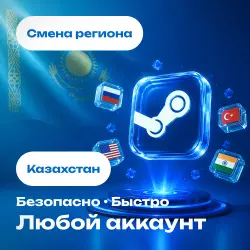
CHANGE OF REGION STEAM KAZAKHSTAN ANY ACCOUNT
Important notice
Any third-party trademarks, brand names, and product names referenced on this website are used solely to identify the relevant goods/services and, where applicable, to indicate intended purpose or compatibility. No affiliation, authorization, sponsorship, or endorsement by the trademark owners is implied unless expressly stated.
🚀 Change Your Steam Region to Kazakhstan — Fast and Secure
📌 Important before ordering:
• The region changes every 3 months — make sure the restriction isn’t active
• Email addresses with .ru and .bk domains will cause an error during the change—in this case, you’ll need to switch to a foreign domain (.com, etc.) first
• If you’re part of a “Family” with a PIN code—temporarily disable it or let us know in chat
• After the change, wait 1–3 days before topping up your balance or purchasing games in the new currency, and do not return any purchased games. We recommend waiting the full 72 hours.
⚙️ How it works: After payment, let us know via chat your preferred login method (QR code or username/password), and wait for the region to change. As soon as it’s ready, we’ll let you know right away in the chat.
⚠️ Platform risks:
🔸 We perform the region change safely and carefully, but the final decision always rests with Steam—any potential restrictions or blocks imposed by the platform are beyond our control
🔸 By purchasing this service, you confirm your agreement to this condition
🔸 If any issues arise, we’ll stay in touch, provide confirmations and payment details, and assist you in contacting support
🔄 Refund Policy:
✅ Error on our part — 100% refund
⚠️ Account restrictions (3-month limit, Steam errors) — partial refund minus the payment processor’s fee (18–21%)
🕐 Order processing hours: 11:00 a.m.–10:00 p.m. Moscow Time
⏳ Average order fulfillment time: 5–10 minutes

 Top up
 Games
Games Discounts 90%
 AI
AI Windows
 Subsctiptions
 New Games
 Mobile Games