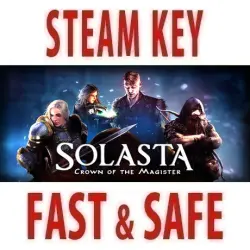
Solasta: Crown of the Magister (STEAM KEY) RU+CIS
Important notice
Any third-party trademarks, brand names, and product names referenced on this website are used solely to identify the relevant goods/services and, where applicable, to indicate intended purpose or compatibility. No affiliation, authorization, sponsorship, or endorsement by the trademark owners is implied unless expressly stated.
Edition Type: STEAM KEY / RU / UA / KZ / CIS
⚠️ ATTENTION! This key can only be activated on a Steam account registered in Russia, Ukraine, or CIS countries.
🔹 Game Language: Russian (subtitles + interface) / English
🔹 Release Date: May 27, 2021
🔹 Platform: Windows
🔹 Region: RU / UA / CIS (Russia, Ukraine, and CIS countries)
🔹 Activation: Steam
=======================================
Experience a classic tabletop game on your computer!
Roll for initiative, execute attacks of opportunity, keep track of hero positioning on the battlefield, and remember that the high ground grants an advantage. Be prepared for brutal blows and sudden natural 20s that strike at the most intense moments of combat.
In Solasta, you control a party of four heroes, each possessing a unique set of skills designed to complement one another. Every hero shares their thoughts on the unfolding adventure, making their individual choices and actions an integral part of the story. Players create their characters just as they would in a tabletop game—selecting a race, class, and personality, and distributing randomly generated ability scores.
The choices are yours to make; the outcome is decided by the roll of the dice.
• A legendary adventure for your party
Discover the shattered world of Solasta: explore ruins and dungeons in search of legendary treasures, uncover the truth behind an ancient cataclysm, and prevent it from happening again. • Create your own party of adventurers using a dedicated toolkit, in the finest tradition of tabletop role-playing games. Bring your heroes to life and watch how their personalities shape their dialogue. Assemble a team that perfectly executes your preferred strategy and maximizes the unique skills of each member—the choice is entirely yours.
• Discover a mysterious, ever-changing world.
Explore long-forgotten dungeons in search of ancient artifacts, but beware the darkness—and be mindful of the light. The shadows conceal countless dangers, while light draws monsters toward you. Some creatures see perfectly in the dark, while others flee from the glow of a torch; seasoned adventurers know exactly how to turn these traits to their advantage.
• Fend off monsters using your party’s abilities in turn-based tactical combat. Solasta’s dynamic environment opens up unconventional tactics: bridges can collapse, catching enemies off guard and leaving them vulnerable. With the right timing, you can topple columns or walls onto your foes. The world is brimming with possibilities.
• Prepare to think in three dimensions.
The dungeons of Solasta are far more than flat, two-dimensional spaces. Climb, jump, or fly over obstacles. Bypass enemies entirely, or set up ambushes from above or below. Shove foes into bottomless chasms or drop heavy stones upon their heads. Seize the high ground to gain a strategic edge in battle.
• Size matters. Retreat into narrow corridors where large enemies cannot follow, or squeeze through low-ceilinged tunnels to uncover hidden chambers. Use the features of your environment to find cover that suits your height. But beware — your opponents can also use your size against you.
• Dungeon Maker
In the world of Solasta, the adventure doesn’t end when the main campaign is over. Draw inspiration, build your own dungeon, and share it with your friends using the "Dungeon Maker" toolkit!
• Please note that the "Dungeon Maker" toolkit is still a work in progress and will continue to improve over time. Stay tuned for updates and new features!
=======================================
Activation
1. Download and install the Steam application from https://store.steampowered.com (if you haven't already).
2. Create a new Steam account or log in to an existing one.
3. Go to the "Games" section and select "Activate a Product on Steam."
4. Enter the activation key you purchased.
 Top up
 Games
 Discounts 90%
 AI
 Windows
 Subsctiptions
 New Games
 Mobile Games