
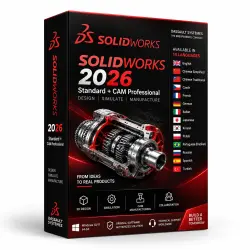
SOLIDWORKS 2026 Standard + CAM Professional
Important notice
Any third-party trademarks, brand names, and product names referenced on this website are used solely to identify the relevant goods/services and, where applicable, to indicate intended purpose or compatibility. No affiliation, authorization, sponsorship, or endorsement by the trademark owners is implied unless expressly stated.
About the product
# SOLIDWORKS 2026 Standard + CAM Professional
⚡ **Instant Delivery | Official Activation | No Cracks | 1-Year Access**
SOLIDWORKS 2026 Standard + CAM Professional is a professional CAD/CAM solution for 3D design, engineering, product development, technical documentation, and CNC manufacturing preparation within a single integrated environment.
The software is ideal for engineers, designers, manufacturers, product developers, students, and technical teams that require accurate 3D models, assemblies, technical drawings, and manufacturing-ready workflows.
Unlike standard-only editions, this package includes **SOLIDWORKS CAM Professional**, allowing you to move from concept to design and CNC manufacturing preparation without relying on third-party CAM software.
✔ Safe official activation
✔ Instant access after payment
✔ CAM Professional included
✔ No cracks, patches, or modified files
✔ Clean and secure installation
---
## 🌟 Why Choose This Package?
Most sellers offer only the Standard version.
This bundle includes **SOLIDWORKS CAM Professional**, enabling a complete workflow from design to manufacturing inside one integrated platform.
✔ Work faster
✔ Reduce manual steps
✔ Prepare CNC machining directly from your design
✔ Improve productivity and efficiency
**Important:** Many standard-only listings are presented as complete solutions. However, integrated CAM functionality is not included unless specifically mentioned.
---
## 🚀 What's New in SOLIDWORKS 2026
✔ Improved performance for large assemblies
✔ Faster file opening and handling
✔ Enhanced drawing creation tools
✔ Smarter view placement and dimension organization
✔ Improved sketch management and automatic error detection
✔ More intuitive assembly workflows
✔ Enhanced rendering quality with more realistic materials
✔ More efficient design-to-manufacturing processes
---
## 🖥️ Main Features
### CAD Features
✔ Professional 3D modeling of parts and assemblies
✔ Creation of 2D drawings and production documentation
✔ Parametric design capabilities
✔ Interference and collision detection
✔ Sheet Metal tools
✔ Weldments tools
✔ Mold Design tools
✔ Surface Modeling
✔ Engineering validation and design verification tools
✔ Import and export of popular CAD formats
### CAM Professional Features
✔ Automatic CNC toolpath generation
✔ Feature recognition for machining operations
✔ 2.5-axis and 3-axis machining support
✔ Machining simulation and optimization
✔ Direct CAD-to-CAM workflow
✔ Manufacturing preparation within SOLIDWORKS
---
## 📦 What You Receive
✔ Access to SOLIDWORKS 2026 Standard license
✔ Access to SOLIDWORKS CAM Professional license
✔ Activation details according to the selected license type
✔ Full version download instructions
✔ Step-by-step installation guide
✔ Activation guide
✔ First-launch recommendations
---
## 🔑 Activation & Access
After purchase, you will receive:
✔ SOLIDWORKS Standard Activation Key
Format: XXXX-XXXX-XXXX-XXXX-XXXX-XXXX
✔ SOLIDWORKS CAM Professional Activation Key
Format: XXXX-XXXX-XXXX-XXXX-XXXX-XXXX
✔ Detailed installation instructions
✔ Activation guide
✔ Download instructions for the correct version
Activation type depends on the provided license option.
Activation may be completed through serial/license details or online license setup.
✔ No cracks
✔ No patches
✔ No modified files
✔ Clean and secure activation
---
## 🔐 License Information
✔ Student Edition
✔ Full functionality available
✔ Ideal for learning, training, and advanced practice
✔ 1-Year Access (365 Days)
---
## 🌍 Language Support
English language is supported.
SOLIDWORKS 2026 supports multiple interface languages depending on the installer and selected configuration.
Available languages may include:
✔ English
✔ Russian
✔ German
✔ French
✔ Italian
✔ Spanish
and other supported languages depending on the installation package.
---
## 💻 System Compatibility
✔ Windows 10 64-bit
✔ Windows 11 64-bit
❌ macOS is not supported
**Recommended Hardware:**
✔ SSD storage
✔ 16–32 GB RAM
✔ Certified professional graphics card
---
## 🌍 Regional Notice
For buyers located in Russia, a спец. ПО may be required for website access, software download, activation, or first login because some Dassault Systèmes / SOLIDWORKS services may be restricted in the region.
For buyers outside restricted regions, спец. ПО access is usually not required.
---
## 🛡️ Reliability & Quality
✔ Clean installation
✔ No cracks
✔ No patches
✔ No malware
✔ Secure activati
 Top up
 Games
Games Discounts 90%
 AI
AI Windows
 Subsctiptions
 New Games
 Mobile Games