
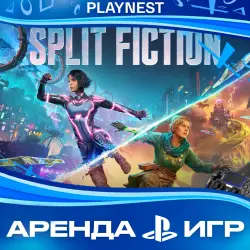
Rent Split Fiction (PS5/ENG) 15-Day Rental
Important notice
Any third-party trademarks, brand names, and product names referenced on this website are used solely to identify the relevant goods/services and, where applicable, to indicate intended purpose or compatibility. No affiliation, authorization, sponsorship, or endorsement by the trademark owners is implied unless expressly stated.
About the product
✅ During the rental period, you alone will be playing on this account!
No crashes!
Access to the profile via QR code, no data changes!
The account is not being sold in full; it is only being rented out. You will be given the account data and will have the opportunity to download the game and play on this profile during the rental period.
🔰 The account was created by us, and the game was purchased officially from the PS Store, which gives you peace of mind regarding security.
🎮 Platform: PS5
🌎 Account region: IN
The account can be used anywhere in the world.
▶ Games on the account:
Split Fiction
📝 Instructions for use:
1. Create a new user (not a guest on PS4 and not a one‑time user on PS5) when you turn on the console or long‑press the “PS” button.
2. Next, wait for the QR code login.
3. The console will prompt you to activate the account or enable shared access: YOU MUST PRESS “NO”.
4. Go to the library, select the “Purchased” tab, and start downloading the game.
5. Play the game using the purchased profile.
6. After the rental period ends, delete the profile from the console. If you want to extend the rental, contact us via the chat on the product pickup page.
⚠️ Purchase terms:
1. Access to the account is granted during the support service hours (10:00–22:00 UTC+3).
1. Please be careful and follow the full instructions in the product description.
2. The account details must not be changed under any circumstances; if you attempt to change the account details, we will immediately notice it, and you will no longer be able to play, and you also have a high chance of getting banned.
3. After the rental period ends, the password will be changed, but you can extend the rental by contacting us via “My Purchases” on the product page, in the “Chat” tab.
When you extend the rental period, we offer a discount, but we recommend contacting us before the end of the rental period — this will give you a guarantee of the discount and that the account will be available.
4. The guarantee of access to the account is valid for the duration of the rental period and subject to the purchase terms. If you encounter any difficulties when logging in or playing, please don’t rush and don’t leave a negative review; just write to us via the chat on the product delivery page, and we will definitely help.

 Top up
 Games
Games Discounts 90%
 AI
AI Windows
 Subsctiptions
 New Games
 Mobile Games