


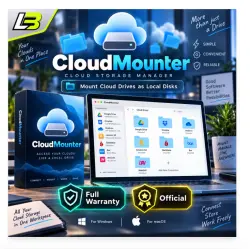
CloudMounter Win/Mac key lifetime
Important notice
Any third-party trademarks, brand names, and product names referenced on this website are used solely to identify the relevant goods/services and, where applicable, to indicate intended purpose or compatibility. No affiliation, authorization, sponsorship, or endorsement by the trademark owners is implied unless expressly stated.
About the product
☁️ CLOUDMOUNTER | LIFETIME LICENSE FOR WINDOWS & MAC
💻 Access Your Cloud Storage Directly From Your Desktop
🔑 Lifetime Activation | Email Delivery | Update Support
━━━━━━━━━━━━━━━━━━━━
🚀 PRODUCT OVERVIEW
CloudMounter brings your cloud storage accounts and remote servers directly into your computer's file manager.
Mount online storage as local drives and manage your files without downloading your entire cloud library.
🍎 macOS: Works with Finder
🪟 Windows: Works with File Explorer
Perfect for accessing cloud files, organizing multiple storage accounts, and reducing unnecessary disk usage.
━━━━━━━━━━━━━━━━━━━━
💎 LICENSE SPECIFICATIONS
📦 Product Name: CloudMounter
🔑 License Validity: Lifetime
💻 Operating Systems: Windows & macOS
📧 Registration: License associated with your email/account
🔄 Software Updates: Supported
📩 Delivery: License key sent by email
🔐 LICENSE KEY STRUCTURE
xxxxxx-xxxxxx-xxxxxx-xxxxxx-xxxxxx
━━━━━━━━━━━━━━━━━━━━
✨ MAIN FUNCTIONS & CAPABILITIES
☁️ MULTI-CLOUD CONNECTION
Connect popular cloud storage platforms and remote servers directly to your desktop.
Supported connections include:
✔ Google Drive
✔ Dropbox
✔ Microsoft OneDrive
✔ Amazon S3
✔ FTP / FTPS / SFTP
✔ WebDAV
📂 MANAGE FILES WITHOUT SWITCHING APPS
Browse, open, edit, transfer, and organize online files using your computer's built-in file manager.
Access multiple cloud accounts from one convenient location.
💾 REDUCE LOCAL STORAGE USAGE
Avoid synchronizing your complete cloud storage library.
Keep your data in the cloud while accessing files when needed. Temporary files and cache might still use local disk space.
🖥️ NATIVE DESKTOP EXPERIENCE
Cloud storage appears as mounted drives inside Finder on Mac or File Explorer on Windows.
Work with remote files through familiar desktop controls.
🔐 CREDENTIAL PROTECTION
The macOS version integrates with Apple Keychain to securely store connection credentials.
🌐 CENTRALIZED CLOUD MANAGEMENT
Organize your cloud accounts and remote server connections through a single application.
━━━━━━━━━━━━━━━━━━━━
📬 PURCHASE & DELIVERY INSTRUCTIONS
Please provide your email address during checkout.
1️⃣ Find the "Mail / Email" field on the purchase page.
2️⃣ Enter your active email address.
3️⃣ Review your information and complete payment.
4️⃣ Receive your license key directly in your email inbox.
⚠️ Important: Double-check your email before purchasing to ensure correct delivery.
━━━━━━━━━━━━━━━━━━━━
🔑 ACTIVATION INSTRUCTIONS
Follow these steps after receiving your license:
STEP 1️⃣
Install and launch CloudMounter on your computer.
STEP 2️⃣
Navigate to the software's License or Activation section.
STEP 3️⃣
Enter the license key received by email.
STEP 4️⃣
Confirm the registration to activate your license.
✅ Activation complete. Your licensed software is ready to use!
━━━━━━━━━━━━━━━━━━━━
🛠️ START USING YOUR CLOUD STORAGE
After activating CloudMounter:
1️⃣ Choose your cloud storage provider.
2️⃣ Connect your account using the required login details.
3️⃣ Mount your cloud storage as a local drive.
4️⃣ Open Finder or File Explorer to access your files.
☁️ Your cloud storage is now accessible from your desktop!
━━━━━━━━━━━━━━━━━━━━
🕐 DELIVERY & CUSTOMER SERVICE
👨💻 Support available every day.
🇰🇭 Time Zone: Cambodia (ICT / GMT+7)
🕖 Working Hours: 7:00 AM – 10:00 PM
💬 Need help with delivery, registration, or installation?
Contact our customer support team for assistance.
━━━━━━━━━━━━━━━━━━━━
🏆 CLOUDMOUNTER BENEFITS
✅ Lifetime license access
✅ Compatible with Windows and macOS
✅ Connect multiple cloud services
✅ Access remote servers from your desktop
✅ No complete cloud synchronization required
✅ Convenient Finder and File Explorer integration
✅ Centralized file management
✅ Secure credential integration on macOS
✅ Software update support
✅ Suitable for personal and professional use
━━━━━━━━━━━━━━━━━━━━
🛒 ORDER YOUR CLOUDMOUNTER LICENSE TODAY!
📩 Provide your email during checkout.
🔑 Receive and register your license key.
💻 Connect your favorite cloud storage services.
☁️ Manage your online files from one convenient location.
🤝 Customer support is available before and after your purchase.
💙 Thank you for shopping with us!
 Top up
 Games
 Steam Sales
 AI
 Subscriptions
 Windows
 New Games
 Mobile Games