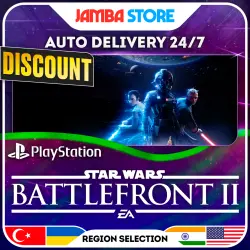
STAR WARS Battlefront II · PS4 · TR/UA/IN/US · AUTO 24/7 · DISCOUNT 02.07
Important notice
Any third-party trademarks, brand names, and product names referenced on this website are used solely to identify the relevant goods/services and, where applicable, to indicate intended purpose or compatibility. No affiliation, authorization, sponsorship, or endorsement by the trademark owners is implied unless expressly stated.
About the product
AUTOMATIC purchase of a game for your TURKISH, INDIAN, or U.S. PlayStation Network (PSN) account
──────────────────────
Orders for the following regions are processed AUTOMATICALLY 24/7:
⚡Turkey, India, USA
---------------------------------------
🕒 For the ‘Ukraine’ region, orders are processed MANUALLY from 09:00 to 21:00 Moscow Time (UTC +3)
──────────────────────
🤖 HOW IS AN ORDER PROCESSED FOR AN AUTOMATED PURCHASE?
1. Select the game edition and region that match your account;
2. Complete the payment. You will be redirected to a page on our website;
3. Enter your PSN account details:
◾ Username (Email)
◾ Password
◾ 1–2 backup codes (MUST be valid!)
---------------------------------------
✔️ The average processing time is 5–15 minutes from the moment you enter your account details.
──────────────────────
🙋♂️ HOW IS AN ORDER PROCESSED FOR A MANUAL PURCHASE?
1. Select the game edition and region that match your account;
2. Complete the payment. You’ll be redirected to our website; then return to the GGSEL order page;
3. Provide your PSN account details in the chat:
◾ Username (Email)
◾ Password
◾ 1–2 backup codes (MUST be valid!)
---------------------------------------
✔️ The manager will log into your account and purchase the game.
──────────────────────
🔒 WHERE CAN I GET A RECOVERY CODE?
In order for your PSN account to have recovery codes, you need to set up two-factor authentication (2FA) for your account.
You can do this via the website https://store.playstation.com/
------------ ---------------------------
ℹ️ Instructions for setting up 2FA:
1. Go to the PS Store page and log in to your account;
2. Click on your profile icon and select “Account Settings”;
3. Go to the “Security” section;
4. Look for the “Two-factor authentication” option. Next to the “Deactivated” status, there is an ‘Edit’ button. Click it and enable the “Authenticator app.”
5. You’ll receive a list of 10 backup codes.
──────────────────────
💬 ADDITIONAL INFORMATION:
🛑 When paying for regions with automatic delivery, please complete the following steps first:
1. Verify that your information and backup codes are up to date (if any of them are invalid, your order will not be processed);
2. Disable the “No Password/Passkey” login method, set a password, and enable 2FA;
3. Clear your PS Store cart;
4. Disable the password during checkout;
5. Make sure no more than 2 bank cards are linked to your account.
6. If your account region is “USA,” select a state with no additional taxes, such as “Oregon,” beforehand.
❗If you follow these steps, your order will be delivered as quickly as possible!
-------------------------------------- -
🛑 If you don’t have an account with the correct region, select the “Register a PSN Account” option. You’ll need an email address ending in “.com” to register the account.
If you’re using the regions “Turkey, India, or the U.S.,” you’ll need to return to the order page and provide your email address via chat. A support representative will manually create a new account for you.
---------------------------------------
❗ (Applies to games released on PS4) Before purchasing, please check whether the region for which you are buying the game supports the language you need. We are not responsible for the absence of any language in the game.
──────────────────────
By purchasing this item, you automatically agree to the information listed in the description and additional details. Returns for reasons such as “I didn’t buy what I wanted; I changed my mind; I’m in a different region, etc.” are only possible with a 20% commission deduction from the order total. Once the game has been added to your account, returns are not possible.

![[US] USA Apple ID • 6 Months Old • Solo Access • App Store Ready • No 2FA](https://img.ggsel.net/102276701/original/250x250/2276700-1642279-7b85550736b6dbc88c01c1c4c7b28864.webp)