
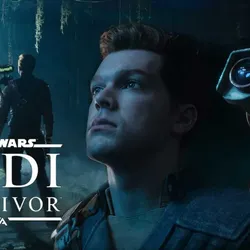
STAR WARS Jedi: Survivor OFFLINE ACCOUNT+Atomic Heart
Important notice
Any third-party trademarks, brand names, and product names referenced on this website are used solely to identify the relevant goods/services and, where applicable, to indicate intended purpose or compatibility. No affiliation, authorization, sponsorship, or endorsement by the trademark owners is implied unless expressly stated.
✅ AFTER THE PURCHASE, YOU WILL BE GIVEN A LOGIN AND PASSWORD FROM THE STEAM ACCOUNT
✅ IT IS POSSIBLE TO PLAY AFTER INSTALLATION ONLY IN OFFLINE MODE.
✅ THE ACCOUNT IS OPEN-ENDED, IT IS IMPOSSIBLE TO CHANGE THE EMAIL AND PASSWORD.
✅ ACCESS TO MAIL IS NOT PROVIDED
✅ GUARD CODE CAN BE OBTAINED FROM THE SELLER IN CORRESPONDENCE
✅DUE TO THE "DENUVO" PROTECTION FEATURE, GAME ACTIVATION DELAYS OF UP TO 48 HOURS ARE POSSIBLE
✅ ALL GAME UPDATES ARE FREE
I don't have a second account
✅ IT IS POSSIBLE TO PLAY AFTER INSTALLATION ONLY IN OFFLINE MODE.
✅ THE ACCOUNT IS OPEN-ENDED, IT IS IMPOSSIBLE TO CHANGE THE EMAIL AND PASSWORD.
✅ ACCESS TO MAIL IS NOT PROVIDED
✅ GUARD CODE CAN BE OBTAINED FROM THE SELLER IN CORRESPONDENCE
✅DUE TO THE "DENUVO" PROTECTION FEATURE, GAME ACTIVATION DELAYS OF UP TO 48 HOURS ARE POSSIBLE
✅ ALL GAME UPDATES ARE FREE
I don't have a second account
Instructions for activating the game:
1. We go into EA with the login and password that you received by first ticking the "Remember me" box at the entrance;
2. Download and install the game; (If the message "you are logged in from another PC "https://imgur.com/a/evacGpO" pops up; do not press anything and wait for the game to finish downloading)
3. We start the game in online mode to the main menu and immediately exit it;
4. In the EA launcher in the upper left corner, click on the 3 vertical bars, then "Offline mode";
5. Write me the time of the first entry into the game;
1. We go into EA with the login and password that you received by first ticking the "Remember me" box at the entrance;
2. Download and install the game; (If the message "you are logged in from another PC "https://imgur.com/a/evacGpO" pops up; do not press anything and wait for the game to finish downloading)
3. We start the game in online mode to the main menu and immediately exit it;
4. In the EA launcher in the upper left corner, click on the 3 vertical bars, then "Offline mode";
5. Write me the time of the first entry into the game;
 Top up
 Games
Games Discounts 90%
 AI
AI Windows
 Subsctiptions
 New Games
 Mobile Games