
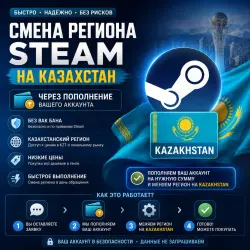
STEAM REGION KAZAKHSTAN | FOR ALL ACCOUNTS
Important notice
Any third-party trademarks, brand names, and product names referenced on this website are used solely to identify the relevant goods/services and, where applicable, to indicate intended purpose or compatibility. No affiliation, authorization, sponsorship, or endorsement by the trademark owners is implied unless expressly stated.
🇰🇿 How does the region change take place?
➖ After paying for the product, you need to scan the QR code or provide a login and password from Steam.
➖ You will also need a Steam Guard code (login confirmation from the mail or the Steam mobile app).
➖ Next, we log in to your account from the residential IP address of the selected region.
➖ A purchase of an inexpensive game is made to fix the new region.
➖ The region is changed to Kazakhstan, after which you continue to use the account as usual.
⏱ Average execution time: 5-20 minutes.
❗️ Important information
➖ After changing the region, additional software is not required.
➖ Steam Guard does not need to be disabled (and we do not recommend doing so).
➖ The region can be changed once every 3 months.
➖ If the account previously had Turkey and the region was lost, it is not possible to return Turkey again (even after 3 months). In this case, you can choose Kazakhstan or Argentina. The same applies to other regions.
➖ Funds on the balance are converted at the exchange rate — the money does not disappear.

 Top up
 Games
Games Discounts 90%
 AI
AI Windows
 Subsctiptions
 New Games
 Mobile Games