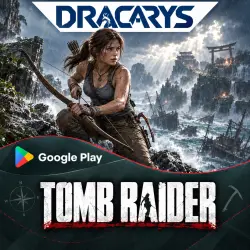
Tomb Raider Android — Purchase on Your Google Play Account
Important notice
Any third-party trademarks, brand names, and product names referenced on this website are used solely to identify the relevant goods/services and, where applicable, to indicate intended purpose or compatibility. No affiliation, authorization, sponsorship, or endorsement by the trademark owners is implied unless expressly stated.
📱 Tomb Raider for Android — purchased on your own Google Play account
🎮 We purchase the full version of Tomb Raider on your personal Google account. We change your account’s Google Play region to complete the purchase. Once the order is completed, the game will be linked to your account.
📌 WHAT YOU GET:
🎮 Tomb Raider purchased on your own Google account
📲 Installation on a compatible Android device
💬 Assistance with the purchase and installation
⚠️ BEFORE ORDERING:
• Check that Tomb Raider is compatible with your device
• Google Play family sharing must not be active on your device, and your account must not belong to a Google family group
• Your Google Play account’s region will need to be changed to complete the order
• You will need to provide the seller with your Google account login details
🛠 HOW IT WORKS:
1️⃣ Pay for your order
2️⃣ Contact the seller via chat and provide the email address and password for the Google account where you want the game purchased
3️⃣ If needed, approve the sign-in yourself on your device
4️⃣ We check whether your account is eligible for a region change, change the Google Play region, and purchase Tomb Raider
5️⃣ We confirm completion — you sign in to Google Play with your account and install the game
6️⃣ After completion, we recommend changing your password and signing out the seller’s session in your Google account settings
📑 IMPORTANT:
✅ The game is purchased on your personal account
✅ No 15-day or 30-day access period — this is a one-time game purchase
⚠️ Region changes are subject to Google’s restrictions for your account. If you recently changed your region or are unsure about your family sharing settings, contact the seller before paying
🔐 Do not send recovery backup codes or disable two-factor authentication — approve the sign-in yourself if needed
🛡 SUPPORT:
If there are issues completing the order or the game does not appear on your account after purchase, contact the seller via chat for help.
📞 CONTACT HOURS:
Chat is available from 9:00 AM to 11:00 PM Moscow time.
During these hours, we respond within 20–30 minutes.
 Top up
 Games
Games Discounts 90%
 AI
AI Windows
 Subsctiptions
 New Games
 Mobile Games