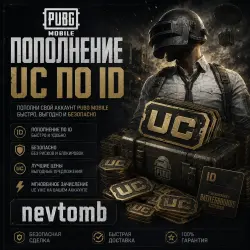
UC 24/7AUTO | by ID | Pubg Mobile
Important notice
Any third-party trademarks, brand names, and product names referenced on this website are used solely to identify the relevant goods/services and, where applicable, to indicate intended purpose or compatibility. No affiliation, authorization, sponsorship, or endorsement by the trademark owners is implied unless expressly stated.
About the product
🔥 Top up your UC in PUBG Mobile
💸 Donate directly to your account using your User ID — fast and secure!
✅ Open 24/7
🌍 Available in almost all regions
⚠️ We do not support servers in Korea, Japan, Vietnam, or Taiwan
🔒 Complete security
No account login, passwords, or verification codes required. Top up using User ID only.
➖➖➖➖➖➖➖➖➖➖➖➖➖➖
⚡ How to top up your UC:
Select the desired amount of UC
Enter your User ID (UID)
Pay using a convenient payment method (FPS/card)
UC will be credited to your account automatically
🔍 How to find your User ID:
Open PUBG Mobile
Click your avatar in the upper left corner
Your User ID (numbers) will be displayed under your nickname on your profile page
⚠️ Important: Carefully check your ID before paying. Your account will only be credited to the specified ID. ➖➖➖➖➖➖➖➖➖➖➖➖➖➖
🛡️ Support
We're open daily from 12:00 PM to 11:00 PM Moscow time.
If you have any questions or encounter any delays, please contact us immediately and we'll help.
🚀 Fast • Secure • No account login required
 Top up
 Games
Games Discounts 90%
 AI
AI Windows
 Subsctiptions
 New Games
 Mobile Games