
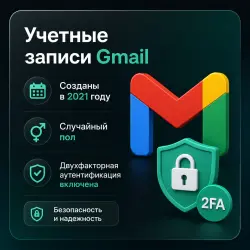
Gmail Accounts | Created 2021 | Random Gender | 2FA Enabled | Random IP Created
Important notice
Any third-party trademarks, brand names, and product names referenced on this website are used solely to identify the relevant goods/services and, where applicable, to indicate intended purpose or compatibility. No affiliation, authorization, sponsorship, or endorsement by the trademark owners is implied unless expressly stated.
These Gmail accounts are registered automatically in 2021 using Random IP addresses.
Each account includes 2FA protection and an additional backup email address.
The full name of the account may be in Russian or English, and the gender can be male or female.
No phone number is linked in the Security profile.
Important Notes:
Any Gmail account may request SMS verification. This is normal. You can verify using your own number or an SMS-activation service.
Accounts are delivered in the following format:
login:password:additional_email:2FA_key
How to Log In with 2FA
Copy your 2FA Secret Key (included in your order details).
Visit https://2fa.live.
Paste the 2FA Secret Key into the “2FA Secret” field.
Click Submit to generate your current OTP (One-Time Password).
Copy the generated OTP.
Go to Gmail login, enter your email and password.
When Gmail asks for your verification code, paste the OTP you copied from 2FA.live.
Your Gmail account will now log in successfully.
 Top up
 Games
Games Discounts 90%
 AI
AI Windows
 Subsctiptions
 New Games
 CS2 Market
 Mobile Games