


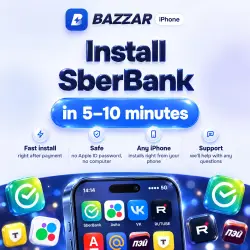
Install SberBank on iPhone / iOS Without a computer | BAZZAR certs.
Important notice
Any third-party trademarks, brand names, and product names referenced on this website are used solely to identify the relevant goods/services and, where applicable, to indicate intended purpose or compatibility. No affiliation, authorization, sponsorship, or endorsement by the trademark owners is implied unless expressly stated.
About the product
Install the SberBank app on your iPhone via BAZZAR CERTS, even if it is not available in your App Store.
After purchase, you will receive a personal installation page on the BAZZAR CERTS platform.: there will be clear step-by-step instructions that will help you do everything without unnecessary difficulties.
How everything works—step by step:
1️⃣ In the product profile, select the applications that you want to install.
2. Place and pay for the order.
3. Click on the link that you will receive after payment—it leads to the BAZZAR CERTS platform.
4. Link your device: add an iPhone or iPad and set a profile.
5️⃣ The system will automatically prepare the selected programs specifically for your gadget.
6. When everything is ready, you will see separate install buttons for each application.
The main advantages of the solution:
• You don't need a computer—everything is done on the device itself.
• You can add multiple applications at once in one order.
• The process is automated: the purchase is verified by the system.
• Installation
 Top up
 Games
 Steam Sales
 AI
 Subscriptions
 Windows
 New Games
 Mobile Games