


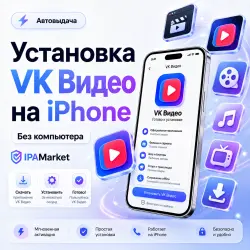
Install VK Video on iPhone / iOS No Computer Required | IPAMarket
Important notice
Any third-party trademarks, brand names, and product names referenced on this website are used solely to identify the relevant goods/services and, where applicable, to indicate intended purpose or compatibility. No affiliation, authorization, sponsorship, or endorsement by the trademark owners is implied unless expressly stated.
About the product
Install VK Video directly on your iPhone through IPAMarket, even if the app is unavailable in your App Store.
After purchase, you will receive access to your personal IPAMarket installation page with step-by-step instructions.
✅ No computer required
✅ No device profile installation
✅ No developer certificate required
✅ No need to sign out of your iCloud
✅ No need to disable Find My
✅ No need to share your personal Apple Account details
✅ Direct installation on iPhone
✅ Simple step-by-step instructions
How installation works:
1️⃣ Purchase the product on GGSEL.
2️⃣ Open the IPAMarket activation page.
3️⃣ Open your personal installation page.
4️⃣ Temporarily sign in to the provided Apple Account only under Media & Purchases.
5️⃣ Tap Install VK Video.
6️⃣ Wait for the installation to complete.
7️⃣ Sign out of the provided account and return to your own Apple Account.
⏰ Your personal installation link is available for a limited time. It is normally valid for 2 hours. For night purchases, the validity period is extended so installation can be continued after 09:00.
⚠️ Important:
• use the provided Apple Account only under Media & Purchases;
• do not sign in to iCloud with the provided account;
• always sign out of the provided account after installation;
• if Apple requests a verification code, codes are available from 09:00 to 23:00;
• if you purchase at night, installation can be continued after 09:00;
• future updates or reinstallation may depend on app availability and Apple policies.
💬 If you need help, contact IPAMarket support or message us in your GGSEL order chat.
 Top up
 Games
 Discounts 90%
 AI
 Windows
 Subsctiptions
 New Games
 Mobile Games