
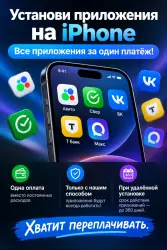
Rent Installing remote iPhone apps FAQ
Important notice
Any third-party trademarks, brand names, and product names referenced on this website are used solely to identify the relevant goods/services and, where applicable, to indicate intended purpose or compatibility. No affiliation, authorization, sponsorship, or endorsement by the trademark owners is implied unless expressly stated.
About the product
🔥 INSTALLING APPS ON AN iPhone — ON YOUR OWN
💰 Why pay 300–500 ₽ for installing each app?
Buy a detailed guide once — and you’ll be able to install apps on your iPhone on your own, as well as help your friends and acquaintances with the installation.
📱 WHAT YOU’LL GET
✅ A detailed step‑by‑step guide
✅ A guide for Windows 10 / 11
✅ Installing apps via a computer
✅ The ability to install apps that were on your old iPhone.
✅ BONUS: a way to install apps that weren’t previously available on your iPhone.
✅ The instructions are designed for self‑installation without the need to contact intermediaries.
💻 WHAT YOU’LL NEED
You’ll only need:
• a computer or laptop running Windows 10/11
• a cable to connect your iPhone to a PC
• two required apps
No special equipment is required.
🎁 BONUS
The instructions include a separate method for installing apps that weren’t on your iPhone before but are available on your friends’ or acquaintances’ devices.
⚡ IMPORTANT
For some less common apps, you may need to find out their ID.
If the app remained on your old iPhone after the transfer, obtaining the necessary information is easy.
If the phone was set up as new, you can get the required data from someone whose iPhone has the necessary app installed.
ID is not required for all applications.
🛡️ ANTIVIRUS
During the installation process, you may need to temporarily disable the antivirus on your PC.
This is a standard procedure for the method being used. If a third‑party antivirus is installed on the computer, you can find instructions for disabling it for a specific program if necessary.
❗ BEFORE PURCHASE
You are purchasing INSTRUCTIONS, not an application installation service.
The method is guaranteed to work at the time of purchase.
In the future, Apple may change the operation of the system, iOS, or the tools used. Such changes are beyond our control and are not grounds for a refund.
No refund will be made after the instructions are provided.
Please read the description carefully BEFORE purchasing.
⸻
, PAY ONCE AND INSTALL IT YOURSELF.
Instead of paying intermediaries each time for a separate installation, get the instructions and handle the installation yourself.
 Top up
 Games
Games Discounts 90%
 AI
AI Windows
 Subsctiptions
 New Games
 Mobile Games