
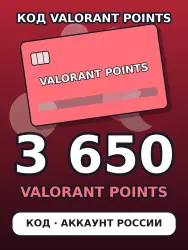
Valorant 3650 VP — Valorant Points top-up code, Russia region
Important notice
Any third-party trademarks, brand names, and product names referenced on this website are used solely to identify the relevant goods/services and, where applicable, to indicate intended purpose or compatibility. No affiliation, authorization, sponsorship, or endorsement by the trademark owners is implied unless expressly stated.
Valorant Points top-up code for 3650 VP — a digital code of the Russian region of Riot Games.
BEFORE YOU BUY
By Riot Games rules a code can be redeemed only in the region it was issued for: you need a Riot account of the region Russia. An account of another region will refuse the code, and this is not a faulty code.
Not sure about your account region — write to us before buying.
HOW TO REDEEM
1. Log in to the VALORANT game client.
2. Click the VALORANT icon next to your VP balance in the upper right corner.
3. Select Prepaid Cards & Codes.
4. Enter the code exactly as it is written, without spaces. Some regions also ask you to tick a consent box.
5. Click Submit — Valorant Points are added to the balance.
IF THE CODE IS NOT ACCEPTED
Almost always the account region is not Russia. Check the code character by character — pasting it is safest.
Still not working — write to us in the order chat and attach a screenshot of the error.
HOW YOU GET THE CODE
Right after payment a page with the code opens — save the code. The same link from your GGSel order shows it again. The code is bought for your order at the moment of payment, usually within a minute. We never need access to your account.
 Top up
 Games
Games Discounts 90%
 AI
AI Windows
 Subsctiptions
 New Games
 Mobile Games