
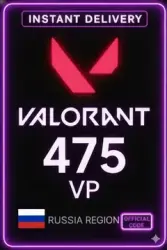
Valorant Points VP RUSSIA
Important notice
Any third-party trademarks, brand names, and product names referenced on this website are used solely to identify the relevant goods/services and, where applicable, to indicate intended purpose or compatibility. No affiliation, authorization, sponsorship, or endorsement by the trademark owners is implied unless expressly stated.
About the product
1. Log into your Valorant game client.
2. Click the Valorant game icon in the Store tab on the right.
3. Tap Prepaid Cards & Codes.
4. Enter the received code and click “Submit”.
The codes come directly from the distributor, they cannot be activated by anyone before. If you have doubts, record a video of the screen from the moment of payment to the moment of activation, without it the requests will not be considered.
 Top up
 Games
Games Discounts 90%
 AI
AI Mobile Games
 Game Pass
 New Games
 Nintendo