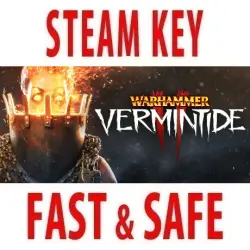
Warhammer: Vermintide 2 / Collector's Edition (STEAM KEY) RUSSIA+CIS
Important notice
Any third-party trademarks, brand names, and product names referenced on this website are used solely to identify the relevant goods/services and, where applicable, to indicate intended purpose or compatibility. No affiliation, authorization, sponsorship, or endorsement by the trademark owners is implied unless expressly stated.
About the product
✅ ACTIVATED IN RUSSIA 🔥 RUSSIAN LANGUAGE 🚀 INSTANT DELIVERY 🔑 OFFICIAL KEYS
🔹 Publication type: Steam Key
🔹 Region: Russia + CIS (Russia, Belarus, Kazakhstan, Ukraine, Armenia, Azerbaijan, Kyrgyzstan, Moldova, Tajikistan, Turkmenistan, Uzbekistan)
🔹 Game language: Russian (subtitles + interface) / English
Release date: March 8, 2018
🔹 Activation: Steam
🔹 Platform: Windows
👇 LIST OF PUBLICATIONS AVAILABLE FOR PURCHASE 👇
🔴 Warhammer: Vermintide 2 (Main Game)
It's time to dive back into the ferocious first—person cooperative hack, where frenzied first-class hand-to-hand combat awaits you in the apocalyptic world of the End of Time - the war-torn world of Warhammer Fantasy Battles.
🔴 Warhammer: Vermintide 2 - Collector's Edition (Main Game + Bonuses)
The edition includes:
Warhammer: Vermintide 2
✔️ The official soundtrack of the game
✔️ Helmgart themed models
✔️ Desktop Wallpapers
🔴 Warhammer: Vermintide 2 - DLC Bundle (3 add-ons)
The edition includes:
✔️ Warhammer: Vermintide 2 - Shadows Over Bögenhafen
✔️ Warhammer: Vermintide 2 - Back to Ubersreik
✔️ Warhammer: Vermintide 2 - Winds of Magic
🔴 Warhammer: Vermintide 2 - Collection Edition (Main game + 3 add-ons + Bonuses)
The edition includes:
Warhammer: Vermintide 2
✔️ Warhammer: Vermintide 2 - Shadows Over Bögenhafen
✔️ Warhammer: Vermintide 2 - Back to Ubersreik
✔️ Warhammer: Vermintide 2 - Winds of Magic
✔️ The official soundtrack of the game
✔️ Helmgart themed models
✔️ Desktop Wallpapers
=======================================
Activation
1️⃣ You need to download and install the Steam app https://store.steampowered.com (if not already installed)
2️⃣ Create a new Steam account or log in to an existing one
3️⃣ Go to the "Games" section and select "Activate on Steam"
4️⃣ Enter the activation key you purchased
5️⃣ After that, the game will appear in the application library and you can install it
 Top up
 Games
Games Discounts 90%
 AI
AI Windows
 Subsctiptions
 New Games
 Mobile Games