
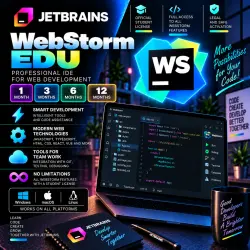
WebsStorm EDU JetBrains 1/3/6/12 months
Important notice
Any third-party trademarks, brand names, and product names referenced on this website are used solely to identify the relevant goods/services and, where applicable, to indicate intended purpose or compatibility. No affiliation, authorization, sponsorship, or endorsement by the trademark owners is implied unless expressly stated.
About the product
🌐 JetBrains WebStorm EDU — 1 / 3 / 6 / 12-month subscription
━━━━━━━━━━━━━━━━━━
🎓 License type: Education
📅 Duration options: 1 / 3 / 6 / or 12 months
👤 License added to your personal JetBrains Account
🔐 Setup process: Involves a temporary login to your account
💻 Windows / macOS / Linux
🔑 This is a SUBSCRIPTION — no activation key is provided
━━━━━━━━━━━━━━━━━━
📦 WHAT YOU GET
✅ WebStorm EDU for the selected duration
✅ Subscription on your personal JetBrains Account
✅ Access to WebStorm via your account
✅ Installation support for Windows / macOS / Linux
✅ After-sales support from the store
━━━━━━━━━━━━━━━━━━
🔥 WEBSTORM — IDE FOR WEB DEVELOPMENT
🔹 JavaScript and TypeScript
🔹 HTML and CSS
🔹 Intelligent code completion
🔹 Code analysis and error detection
🔹 Easy navigation and refactoring
🔹 Built-in debugger
🔹 Testing tools
🔹 Built-in terminal
🔹 Integration with Git and version control systems
🔹 Node.js support
🔹 React support
🔹 Angular support
🔹 Vue.js support
🔹 Support for npm, yarn, and other tools
🔹 Extensive JetBrains plugin ecosystem
🚀 WebStorm provides a professional toolset for modern JavaScript and TypeScript development.
━━━━━━━━━━━━━━━━━━
🔐 HOW THE SETUP WORKS
1️⃣ Before clicking "BUY," fill in the "LOGIN" and "PASSWORD" fields provided on the order page.
2️⃣ Enter the credentials for your actual JetBrains Account.
3️⃣ The seller temporarily logs into your account to activate the license.
4️⃣ WebStorm EDU is added to your account for the selected duration (1 / 3 / 6 / or 12 months). 5️⃣ Once the process is complete, please verify the presence of the subscription in your JetBrains Account.
⚠️ Do not change your username or password while the order is being processed.
🔐 It is recommended to change your JetBrains Account password after the subscription has been successfully set up and verified.
━━━━━━━━━━━━━━━━━━
🎓 IMPORTANT: EDU LICENSE
📚 License type: Education.
⚠️ Usage is subject to JetBrains' educational licensing terms.
━━━━━━━━━━━━━━━━━━
🇷🇺 IMPORTANT FOR USERS IN RUSSIA
⚠️ Due to sanctions and regional restrictions, standard access to certain JetBrains services within Russia may be limited.
🛠️ To ensure proper access, downloading, activation, and use of WebStorm in Russia, **you must use specific software and appropriate connection settings**.
━━━━━━━━━━━━━━━━━━
⚠️ BEFORE PURCHASING
📌 Have your personal JetBrains Account ready.
📌 Fill in the "USERNAME" and "PASSWORD" fields correctly before payment.
📌 Select the desired subscription duration: 1, 3, 6, or 12 months.
📌 Do not change account details until the process is complete.
📌 Users in Russia should take regional restrictions into account.
━━━━━━━━━━━━━━━━━━
🛡️ WARRANTY AND SUPPORT
💬 For any questions, please contact us via the GGSEL order chat.
🛠️ We will assist with any issues regarding subscription receipt and activation.
🔐 It is recommended to change your JetBrains Account password after the process is complete.
━━━━━━━━━━━━━━━━━━
🕐 STORE BUSINESS HOURS
⏰ Daily — 09:00–22:00 Moscow Time (MSK).
🌙 Orders placed outside business hours will be processed once the next shift begins. ━━━━━━━━━━━━━━━━━━
🌐 WebStorm EDU JetBrains
🎓 Educational License
📅 1 / 3 / 6 / 12 months
👤 Subscription linked to your personal JetBrains Account
🔐 Set up using your login and password
💻 Windows / macOS / Linux
🔑 NOT a license key
⏰ 09:00–22:00 Moscow Time
 Top up
 Games
Games Discounts 90%
 AI
AI Windows
 Subsctiptions
 New Games
 Mobile Games