
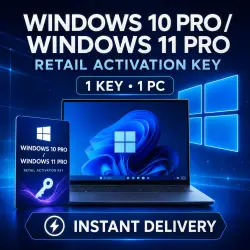
Windows 10 Pro / Windows 11 Pro RETAIL Activation Key | Instant Delivery
Important notice
Any third-party trademarks, brand names, and product names referenced on this website are used solely to identify the relevant goods/services and, where applicable, to indicate intended purpose or compatibility. No affiliation, authorization, sponsorship, or endorsement by the trademark owners is implied unless expressly stated.
**Product title:**
Windows 10 Pro / Windows 11 Pro | Activation Key | 1 PC | GLOBAL
**Product description:**
After payment, you will instantly receive one digital key that can activate either Windows 10 Pro or Windows 11 Pro.
The buyer can choose which operating system version to activate.
⚠️ One key activates only one selected Windows version on one computer. It cannot be used simultaneously on two devices.
### Product Information
✔ Compatibility: Windows 10 Pro or Windows 11 Pro
✔ Product format: Digital activation key
✔ Number of devices: 1 PC
✔ Activation region: GLOBAL
✔ Delivery: Instant and automatic after payment
✔ Support: Available through the order chat
⚠️ This product is an activation key, not an account or a subscription.
### What You Will Receive
🔑 One activation key for Windows 10 Pro or Windows 11 Pro
📋 Step-by-step activation instructions
💬 Assistance through the order chat if you experience any problems
### Before Purchasing
• Windows 10 Pro or Windows 11 Pro must be installed on your computer.
• The key is not compatible with the Home, Enterprise or Education editions.
• An internet connection is required for activation.
• To install Windows 11, your computer must meet the Windows 11 system requirements.
### How to Activate Windows 11 Pro
1. Open **Settings**.
2. Go to **System**.
3. Select **Activation**.
4. Click **Change product key**.
5. Enter the provided key and confirm the activation.
### How to Activate Windows 10 Pro
1. Open **Settings**.
2. Go to **Update & Security**.
3. Select **Activation**.
4. Click **Change product key**.
5. Enter the provided key and confirm the activation.
If an activation error appears, do not enter the key repeatedly. Take a screenshot of the error message and contact the seller through the order chat.
 Top up
 Games
Games Discounts 90%
 AI
AI Windows
 Subsctiptions
 New Games
 Mobile Games