
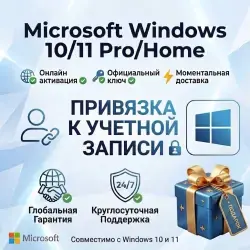
Windows 11/10 PRO/HOME Activation Key with Binding | AUTOMATIC DISTRIBUTION
Important notice
Any third-party trademarks, brand names, and product names referenced on this website are used solely to identify the relevant goods/services and, where applicable, to indicate intended purpose or compatibility. No affiliation, authorization, sponsorship, or endorsement by the trademark owners is implied unless expressly stated.
🔥 Product description
Get an activation key for Windows 11/10 Professional or Home with the option to link the activation to your Microsoft account.
This is a convenient solution for activating the system after a clean Windows installation or an operating system update.
After successful activation, you will be able to use Windows without restrictions related to the lack of activation. Linking to a Microsoft account can simplify reactivation after reinstalling the system.
► You will receive a Windows activation key with the option to link it to your Microsoft account!
► 100% warranty on the product — if you encounter any problems, you can always contact us for help!
► The keys are suitable for activating Windows 10/11 Pro.
► There is also the option to upgrade Windows Home to a higher edition.
✅ Features and benefits of the product
✔️ Online activation with the ability to link to your Microsoft account.
✔️ The option to upgrade Windows Home to Windows Pro.
✔️ License type: 1 PC (ESD — electronic software delivery).
✔️ Developer: Microsoft.
✔️ Architecture: x32 / x64 (32 and 64 bits).
✔️ No regional restrictions: activation anywhere in the world.
✔️ Language: support for all languages.
✔️ The ability to link the activation to your Microsoft account.
✔️ The ability to activate Windows during the operating system installation.
✔️ Original product.
✔️ Support for all system updates.
✔️ Is it possible to reactivate Windows after reinstalling the system?
Yes! You can reinstall Windows, and the possibility of reactivating it depends on the type of license and the terms of its use. Linking it to a Microsoft account can simplify this process.
Important information
❌ WARNING!
Using the Pro Retail version (retail version), you can upgrade a compatible edition of Windows Home to Windows Pro.
However, Windows Home Single Language (Home for one language) does not support this upgrade method.
The OEM version is not intended for upgrading Windows Home to Windows Pro!
The product is intended only for:
- Activation of Windows 10/11 Pro.
- Activation of Windows 10/11 Home.
- Upgrading compatible editions of Windows 10/11 Home to Pro.
You can learn more about additional features on the official Microsoft website:
https://support.microsoft.com/ru-ru/windows
🚀 Delivery and technical support
🚀 Instant delivery: after payment, the product will be automatically sent to your email address.
⚡ Technical support: if you have any questions or problems, we are always ready to help!
🔑 Windows activation instructions
Windows activation using a product key
The product key is a 25‑character alphanumeric code in the following format:
`XXXXX-XXXXX-XXXXX-XXXXX-XXXXX`
▶️ Method 1: Activation during Windows installation
During the operating system installation, you will be prompted to enter the product key.
Simply enter the received key and follow the on‑screen instructions.
▶️ Method 2: Activation after Windows installation
You can also enter the product key at any time after installing the operating system.
Step‑by‑step instructions:
1. Click the Start button in Windows.
2. Open Settings.
3. Go to the System section.
4. Select Activation.
5. Click Change product key.
6. Enter the purchased key and follow the instructions to complete the activation.
✅ Information for buyers
If you encounter any problems with activation, please don’t rush to leave a negative review.
First, contact the seller via the support chat.
We will do our best to help you resolve the issue!
 Top up
 Games
Games Discounts 90%
 AI
AI Windows
 Subsctiptions
 New Games
 Mobile Games