


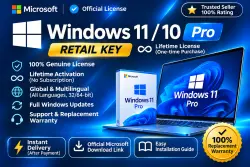
Windows 11 Pro Retail Activation Key | Online
Important notice
Any third-party trademarks, brand names, and product names referenced on this website are used solely to identify the relevant goods/services and, where applicable, to indicate intended purpose or compatibility. No affiliation, authorization, sponsorship, or endorsement by the trademark owners is implied unless expressly stated.
# 🔥 WINDOWS 11 PRO — RETAIL ACTIVATION KEY
🔑 **Windows 11 Pro product key for 1 PC — Online Activation!**
Activate Windows 11 Pro using a 25-character product key. No monthly subscription required.
### ⭐ KEY BENEFITS
✅ Retail product key
🔑 25-character activation code
💻 Windows 11 Pro — 1 PC
🌐 Online activation through Windows Settings
♾️ No recurring subscription
🔄 Windows updates according to Microsoft's support policies
🛠️ Activation assistance available
### 📦 WHAT YOU RECEIVE
• Windows 11 Pro product key
• Step-by-step activation instructions
• Official Microsoft Windows download link
• Assistance with activation issues
### 🚀 ACTIVATION GUIDE
1️⃣ Make sure Windows 11 Pro is installed.
2️⃣ Open Settings → System → Activation.
3️⃣ Select Change Product Key.
4️⃣ Enter your 25-character key.
5️⃣ Follow the on-screen activation steps.
### 🛡️ CUSTOMER SUPPORT
If you encounter an activation error, contact us through Seller Chat and provide a screenshot of the error.
We'll review the issue and help you troubleshoot.
### ⚠️ IMPORTANT
• Intended for Windows 11 Pro.
• Check your Windows edition before purchasing.
• Your PC must meet Windows 11 system requirements.
• License transfer rights depend on Microsoft's licensing terms.
• Refunds and replacements follow the stated seller warranty and marketplace policies.
💙 Thank you for choosing our store!
 Top up
 Games
 Steam Sales
 AI
 Subscriptions
 Windows
 New Games
 Mobile Games