
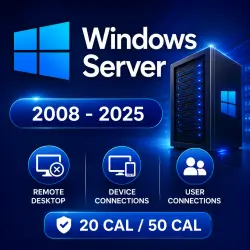
Windows Server 2008-2025 RDS User/Device 50/20 CAL
Important notice
Any third-party trademarks, brand names, and product names referenced on this website are used solely to identify the relevant goods/services and, where applicable, to indicate intended purpose or compatibility. No affiliation, authorization, sponsorship, or endorsement by the trademark owners is implied unless expressly stated.
About the product
Windows Server 2008 - 2025 RDS User/Device 50 CAL/20 CAL
🌎 Microsoft RDS Keys for Windows Server
🔑 Available versions:
• Windows Server 2025 User / Device 50 CAL
• Windows Server 2022 User / Device 50 CAL
• Windows Server 2019 User / Device 50 CAL
• Windows Server 2016 User / Device 50 CAL
• Windows Server 2012 User / Device 50 CAL
• Windows Server 2012 R2 User / Device 50 CAL
• Windows Server 2008 User / Device 20 CAL
🎁 Use coupon "SAVE5" to get 5% off
✅ Activation type: Online
✅ Active Period: Lifetime
✅ 25-digit code Activation Key : FVHX3-W49EP-WQY**-PXD**-3RW**
✅ Works for all regions and system types
✅ Warranty: 7 Days from the time of delivery, within this period the license should be activated.
✅ 24/7 technical support
Short Explanation
• Windows Server Remote Desktop Services (RDS) Device CAL (50 Devices) is a client access license that allows up to 50 devices to remotely access Windows Server desktops, applications, and virtual desktops.
This license is suitable for companies with shared computers or shift-based work environments because multiple users can connect from the same licensed device. It supports access to Virtual Desktop Infrastructure (VDI), session-based desktops, and RemoteApps.
The latest version also includes enhanced security features such as Multi-Factor Authentication (MFA), stronger encryption, and AI-based threat detection support.
• Windows Server Remote Desktop Services (RDS) User CAL is a client access license that gives one user permission to remotely access Windows Server desktops, applications, and virtual desktops.
This option is ideal for organizations that need flexible remote access. A licensed user can connect from different devices, including PCs, laptops, tablets, and smartphones. It also supports VDI, session desktops, and RemoteApps.
The latest version includes advanced security improvements such as MFA, stronger encryption, and AI-powered threat detection.
❓ User CAL vs Device CAL — What’s the Difference?
• User CAL: Assigned to one user and requires a domain-based server environment.
• Device CAL: Assigned to one device and works on both domain and non-domain servers.
After payment, you will receive an activation key and instructions for licensing the remote desktop server.
 Top up
 Games
Games Discounts 90%
 AI
AI Windows
 Subsctiptions
 New Games
 Mobile Games