

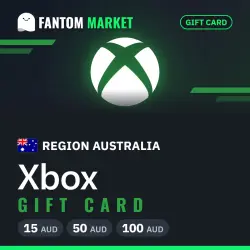
Xbox Australia gift card
Important notice
Any third-party trademarks, brand names, and product names referenced on this website are used solely to identify the relevant goods/services and, where applicable, to indicate intended purpose or compatibility. No affiliation, authorization, sponsorship, or endorsement by the trademark owners is implied unless expressly stated.
About the product
📩 THE ORDER IS DELIVERED BY A BOT IN THE CHAT WITH THE SELLER — check this order chat.
⚡ Automatic 24/7: the code arrives in the chat right after payment.
Xbox Australia gift card.
📖 How to activate:
1. On Xbox open the Microsoft Store and choose "Use a code". On PC: Microsoft Store app → profile icon → "Redeem code or gift cards".
2. Sign in to a Microsoft account of the matching region.
3. Enter the 25-character code from the chat and confirm.
⚠️ Important:
• Check your account region first: the code does not work on an account of another region.
• A code can be redeemed only once and cannot be refunded after that.
 Top up
 Games
 Discounts 90%
 AI
 Windows
 Subsctiptions
 New Games
 Mobile Games