
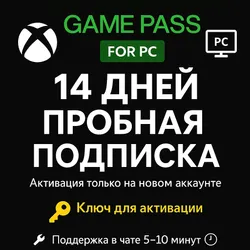
Xbox Game Pass PC - 14 Days Trial Code ONLY PC
65 sales
Important notice
Any third-party trademarks, brand names, and product names referenced on this website are used solely to identify the relevant goods/services and, where applicable, to indicate intended purpose or compatibility. No affiliation, authorization, sponsorship, or endorsement by the trademark owners is implied unless expressly stated.
🚀 Get access to hundreds of high-quality PC games with the Xbox Game Pass PC 14-Day Trial Code!
✅ Features:
🔹 14-day trial access to Xbox Game Pass for PC
🔹 Activation is only possible on a new account where there were no previous subscriptions
🔹 Instant digital delivery
🔹 100% official and legal key
🔹 Access hundreds of top-quality games, including new releases on launch day
🕹️ Platforms:
✅ PC (Windows)
❌ Not compatible with Xbox One (S/X) or Xbox Series (S/X)
⚠️ Important:
🔸 NEW ACCOUNTS ONLY! / or for accounts that do not have a Game Pass subscription.
🔸 Activation region: USA
🔸 You will need a foreign card to activate!
🔸 Make sure your account is eligible for a trial before purchasing
🔸 No refunds after the code has been delivered
✅ Features:
🔹 14-day trial access to Xbox Game Pass for PC
🔹 Activation is only possible on a new account where there were no previous subscriptions
🔹 Instant digital delivery
🔹 100% official and legal key
🔹 Access hundreds of top-quality games, including new releases on launch day
🕹️ Platforms:
✅ PC (Windows)
❌ Not compatible with Xbox One (S/X) or Xbox Series (S/X)
⚠️ Important:
🔸 NEW ACCOUNTS ONLY! / or for accounts that do not have a Game Pass subscription.
🔸 Activation region: USA
🔸 You will need a foreign card to activate!
🔸 Make sure your account is eligible for a trial before purchasing
🔸 No refunds after the code has been delivered
Activation Instructions
🔗 Go to: https://redeem.microsoft.com
💳 A valid foreign payment method is required for verification.
✅ After redeeming, visit https://account.microsoft.com
🛑 Under Services & Subscriptions, disable recurring billing
🧹 To remove your payment method, go to: https://account.microsoft.com/billing/payments
🔗 Go to: https://redeem.microsoft.com
💳 A valid foreign payment method is required for verification.
✅ After redeeming, visit https://account.microsoft.com
🛑 Under Services & Subscriptions, disable recurring billing
🧹 To remove your payment method, go to: https://account.microsoft.com/billing/payments
 Top up
 Games
Games Discounts 90%
 AI
AI Mobile Games
 Game Pass
 New Games
 Nintendo