
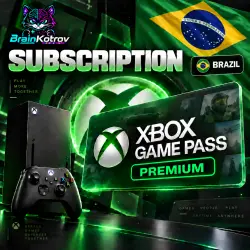
XBOX GAME PASS PREMIUM - BRAZIL | ACTIVATION CODE
Important notice
Any third-party trademarks, brand names, and product names referenced on this website are used solely to identify the relevant goods/services and, where applicable, to indicate intended purpose or compatibility. No affiliation, authorization, sponsorship, or endorsement by the trademark owners is implied unless expressly stated.
About the product
Xbox Game Pass gives you access to a large library of games for Xbox and PC. Play popular titles, discover new releases, and enjoy your favorite games. Subscription benefits depend on the selected plan and may include access to the game catalog, online console multiplayer, EA Play, and other benefits.
⚠️ IMPORTANT! PLEASE READ BEFORE PURCHASING! ⚠️
✅ Official Xbox Game Pass Premium BRAZIL activation keys.
✅ The subscription can only be activated on a BRAZIL region account.
✅ The subscription can be activated from any device (PC, smartphone, or Xbox console). We recommend not using any special software during activation.
❗️Once the digital code has been purchased and delivered, it cannot be exchanged or refunded.
****Frequently Asked Questions****
❓Can I redeem the code without changing my location?
— Yes. We recommend redeeming the code without changing your location.
✅1️⃣ Select the desired subscription option.
✅2️⃣ After payment, I will contact you and provide the activation code.
⭐️How to redeem the code on Xbox Series X|S or Xbox One:
1️⃣ Sign in to your account on your Xbox console.
2️⃣ From the Home screen, select and open the Microsoft Store app.
3️⃣ In the Store app, move the cursor to the left or press the View button on your controller to open the side menu.
4️⃣ Select “Redeem” from the menu.
5️⃣ Enter the 25-character code and follow the on-screen instructions.
⭐️How to redeem the code through a web browser:
1️⃣ Go to [https://redeem.microsoft.com/](https://redeem.microsoft.com/)
2️⃣ Sign in to your account, enter the 25-character code, and follow the instructions.
⭐️How to redeem the code on Windows 10/11:
1️⃣ Sign in to your account on your Windows device.
2️⃣ Click the Start button, type “Store,” and select Microsoft Store.
3️⃣ Select “More …” → “Redeem a code.”
4️⃣ Enter the 25-character code and follow the instructions.
📌Please contact the seller through the “Chat with Seller” section before leaving a negative review.
📌If you experience any problems or have any questions, please contact me for assistance.
📌Approximate working hours: 10:00 AM–12:00 AM Moscow time.
Refund Policy:
✅If you have successfully received the product, a refund is not possible.
⛔If you have not received the product due to my fault, you will receive a full refund.
 Top up
 Games
Games Discounts 90%
 AI
AI Windows
 Subsctiptions
 New Games
 Mobile Games