
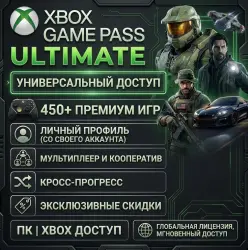
XBOX GAME PASS ULTIMATE 400+ GAMES INSTANT DELIVERY
Important notice
Any third-party trademarks, brand names, and product names referenced on this website are used solely to identify the relevant goods/services and, where applicable, to indicate intended purpose or compatibility. No affiliation, authorization, sponsorship, or endorsement by the trademark owners is implied unless expressly stated.
⚡ Instant automated delivery 24/7 immediately after payment!
🎮 Platform: PC (Windows 10 / 11)
🌐 Mode: Full Online using your personal Xbox profile
♾️️ Duration: Lifetime / Permanent access to the game catalog
🔥 Key Benefits:
Play on your personal profile: All saves, achievements, cloud sync, and gamertags stay permanently on your own Xbox account.
Full Multiplayer & Online Support: Play online with friends across the entire Game Pass multiplayer lineup.
Massive Library (400+ Games): Get access to top blockbuster titles (Forza, Minecraft, Sea of Thieves, Halo, Starfield, and new releases).
Official Downloads: Download games directly from the official Microsoft Store / Xbox app with automatic updates and patches.
Lifetime Guarantee: Continuous, reliable access to the game catalog.
Quick & Easy Setup: Takes only 2–3 minutes following the included step-by-step instructions.
📦 What You Receive:
Store account credentials with Game Pass access to sign in via Microsoft Store.
Clear, simple step-by-step activation guide.
Fast customer support for any questions.
⚠️ Important Notes:
Designed specifically for Windows 10/11 PC (not compatible with Xbox consoles or Xbox Cloud Gaming).
Account is used only to log into the Microsoft Store (you stay logged into your personal profile inside the Xbox App).
Changing account information (email, password, security settings) is strictly prohibited.
Third-party integrated clients (EA Play, Ubisoft Connect, Battle.net) may not support store-sharing — the core Microsoft Store & Xbox PC catalog is fully available.
🚀 Quick Start Guide:
Log in to your personal account inside the Xbox App.
Open the Microsoft Store and log in using the provided details.
Return to the Xbox App, choose any Game Pass title, and start downloading.
Launch and enjoy playing under your personal gamertag!
💬 Need help or have any questions? Message us directly in the order chat for instant support!
 Top up
 Games
Games Discounts 90%
 AI
AI Windows
 Subsctiptions
 New Games
 Mobile Games