
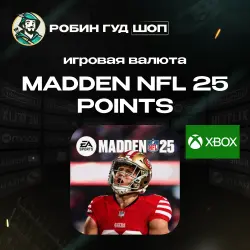
XBOX MADDEN NFL 25 POINTS 1050-12000 GLOBAL
Important notice
Any third-party trademarks, brand names, and product names referenced on this website are used solely to identify the relevant goods/services and, where applicable, to indicate intended purpose or compatibility. No affiliation, authorization, sponsorship, or endorsement by the trademark owners is implied unless expressly stated.
About the product
💪🏻 On the digital goods market since 2010
💯 100% working code guarantee
🏆 40,000+ successful sales
💬 1,800+ positive reviews
🏈💰 After payment, you receive a digital Madden NFL 25 Points code for the selected amount: from 1050 to 12000 Madden Points. Available for Xbox ⚡️Instant delivery
💥 Madden NFL 25 Points is in-game currency for Madden NFL 25 that can be used to purchase packs, upgrades, and other content in Ultimate Team mode.
🎮 BENEFITS OF MADDEN POINTS:
🔸 Fast top-up of your in-game balance after code activation.
🔸 Ability to choose the suitable amount.
🔸 Used in Madden NFL 25 to purchase in-game content.
🔸 Perfect for developing your team in Ultimate Team.
🔸 Instant digital code delivery after payment.
❗️PLEASE NOTE
- This is not the full version of Madden NFL 25, but a Madden Points code for use inside the game.
- Madden NFL 25 is required on a compatible platform.
- Activation is available only for Xbox.
- Before purchasing, make sure the selected amount is suitable for your account and region.
📜 How to activate on Xbox Series X|S and Xbox One:
1. Press the Xbox button to open the guide, then select Store.
2. Press the View button to open the side menu, then select Redeem.
3. Enter the code, click Next, and follow the on-screen instructions.
📜 Activation on Windows 10/11:
1. Click the Start button and type store in the search bar.
2. Select Microsoft Store from the results to open the app.
3. Select your account in the upper-right corner of the screen and click "Redeem code or gift cards".
4. Enter the code, click Next, and follow the on-screen instructions.
📜 How to activate the code using a web browser:
1. From a web browser, go to the Microsoft website.
2. Sign in to your Microsoft account.
3. Enter the code and follow the on-screen prompts.
 Top up
 Games
Games Discounts 90%
 AI
AI Windows
 Subsctiptions
 New Games
 Mobile Games