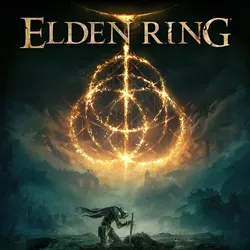
Rent Xbox One / Series X|S | Elden Ring + 28
Important notice
Any third-party trademarks, brand names, and product names referenced on this website are used solely to identify the relevant goods/services and, where applicable, to indicate intended purpose or compatibility. No affiliation, authorization, sponsorship, or endorsement by the trademark owners is implied unless expressly stated.
🎮Shared Xbox One/Series X|S account
✅Guaranteed access to your account - 6 MONTHS
Games:
1.Evil West
2.Elden Ring
3.Dying Light 2 Stay Human
4.Cyberpunk 2077
5.Assassins Creed The Ezio Collection
6.Assassins Creed Unity
7.Assassins Creed Syndicate
8.Assassins Creed IV Black Flag
9.Assassins Creed Odyssey Ultimate Edition
10.Assassins Creed Valhalla
11.Assassins Creed III Remastered
12.Metro Exodus Gold Edition
13.Metro 2033 Redux
14.Metro Last Light Redux
15.Red Dead Redemption 2
16.Control Ultimate Edition Xbox Series X S
17.SpellForce III Reforced Complete Edition
18.Final Fantasy VIII Remastered
19.Judgment
20.Lost Judgment
21.King's Bounty II
Dinasty Warriors 9 22.Special Scenario Edition
23.Samurai Warriors 5
24.Borderlands The Pre-Sequel
25.Borderlands 2
26.Borderland 3 Super Deluxe Edition
27.Yakuza Like A Dragon
28.Kingdom Come Deliverance Royal Edition
29.Dark Souls 1 Remastered
Prohibitions:
1.Play from the purchased Account
2.Download game demos, buy games or subscriptions from the purchased Account
3.Login on devices other than the XBOX One console
5.Try to change any data on the Account
6.Use an Account on more than one console
7. SELL / EXCHANGE / TRANSFER data from the Account to third parties
✳️The way to play on the account: Parental control
Instructions for logging into your account:
1. Press the "Guide" button; 2. Select "+ Add new player"; 3. Enter the received data (login and password);
4. After you find yourself on the page with a request to enter, the request number is in the upper left corner and consists of large English letters and numbers.
5. On the page with the data from the account, send a message to the seller where the login request number is visible, the seller will approve it and you will be on the account.
Instructions for downloading and launching games:
1️⃣ First you need to link the console to your profile.
First you need to install the XBOX app on your phone.
After installing the application, log into it with your personal profile account.
You need to do this from the console.
In this sequence:
Settings➡️Devices and connections➡️Remote functions➡️Enable remote functions and confirm everything.
2️⃣Now let's move on to downloading the game to the console (before checking how much free memory is on your console)
Steps to download the game:
In the search, find the game you need➡️ Click "Download to console"➡️Choose the console on which we will download the game.➡️The final step is to click on the "Download" button in the menu that appears on the screen.➡️The game is already downloading.
⚠️IMPORTANT⚠️
Instructions for launching games from the account are sent in correspondence with the seller upon request
⚠️IMPORTANT⚠️
✅Guaranteed access to your account - 6 MONTHS
Games:
1.Evil West
2.Elden Ring
3.Dying Light 2 Stay Human
4.Cyberpunk 2077
5.Assassins Creed The Ezio Collection
6.Assassins Creed Unity
7.Assassins Creed Syndicate
8.Assassins Creed IV Black Flag
9.Assassins Creed Odyssey Ultimate Edition
10.Assassins Creed Valhalla
11.Assassins Creed III Remastered
12.Metro Exodus Gold Edition
13.Metro 2033 Redux
14.Metro Last Light Redux
15.Red Dead Redemption 2
16.Control Ultimate Edition Xbox Series X S
17.SpellForce III Reforced Complete Edition
18.Final Fantasy VIII Remastered
19.Judgment
20.Lost Judgment
21.King's Bounty II
Dinasty Warriors 9 22.Special Scenario Edition
23.Samurai Warriors 5
24.Borderlands The Pre-Sequel
25.Borderlands 2
26.Borderland 3 Super Deluxe Edition
27.Yakuza Like A Dragon
28.Kingdom Come Deliverance Royal Edition
29.Dark Souls 1 Remastered
Prohibitions:
1.Play from the purchased Account
2.Download game demos, buy games or subscriptions from the purchased Account
3.Login on devices other than the XBOX One console
5.Try to change any data on the Account
6.Use an Account on more than one console
7. SELL / EXCHANGE / TRANSFER data from the Account to third parties
✳️The way to play on the account: Parental control
Instructions for logging into your account:
1. Press the "Guide" button; 2. Select "+ Add new player"; 3. Enter the received data (login and password);
4. After you find yourself on the page with a request to enter, the request number is in the upper left corner and consists of large English letters and numbers.
5. On the page with the data from the account, send a message to the seller where the login request number is visible, the seller will approve it and you will be on the account.
Instructions for downloading and launching games:
1️⃣ First you need to link the console to your profile.
First you need to install the XBOX app on your phone.
After installing the application, log into it with your personal profile account.
You need to do this from the console.
In this sequence:
Settings➡️Devices and connections➡️Remote functions➡️Enable remote functions and confirm everything.
2️⃣Now let's move on to downloading the game to the console (before checking how much free memory is on your console)
Steps to download the game:
In the search, find the game you need➡️ Click "Download to console"➡️Choose the console on which we will download the game.➡️The final step is to click on the "Download" button in the menu that appears on the screen.➡️The game is already downloading.
⚠️IMPORTANT⚠️
Instructions for launching games from the account are sent in correspondence with the seller upon request
⚠️IMPORTANT⚠️
 Top up
 Games
Games Discounts 90%
 AI
AI Windows
 Subsctiptions
 New Games
 Mobile Games