
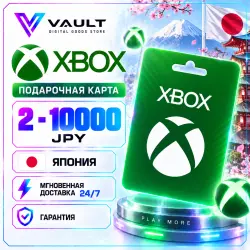
Xbox Gift Card Japan 2–10,000 JPY | Instant Delivery 24/7
Important notice
Any third-party trademarks, brand names, and product names referenced on this website are used solely to identify the relevant goods/services and, where applicable, to indicate intended purpose or compatibility. No affiliation, authorization, sponsorship, or endorsement by the trademark owners is implied unless expressly stated.
About the product
🎮 Xbox Gift Card — Japan
⚡ Automatic delivery 24/7
🔑 Digital top-up code
🇯🇵 Region: Japan
💴 Denominations from 2 to 10,000 JPY
🎮 Redeem via Microsoft Account
📦 What You Will Receive
After payment, you will receive a digital Xbox Gift Card code for the selected denomination.
Once successfully redeemed, the funds will be added to your Microsoft Account balance and will be available for supported purchases in the Japanese Microsoft / Xbox Store.
In some cases, the selected denomination may be delivered as several codes, with the total value matching your order.
🇯🇵 Important: Account Region
The code is intended for Microsoft / Xbox accounts registered in Japan.
The card currency is Japanese yen (JPY).
❗ Before purchasing, make sure that the country or region of your Microsoft Account is set to Japan.
Regional digital products and Microsoft payment methods may be subject to account-country restrictions.
🔑 How to Redeem the Code
Via browser:
1. Go to the official page:
https://www.xbox.com/redeem
2. Sign in to the Microsoft Account you want to top up.
3. Enter the 25-character code you received.
4. Check the account and product information.
5. Confirm the redemption.
6. Once successfully redeemed, the balance will be added to your account.
Via Xbox Series X|S / Xbox One:
1. Press the Xbox button.
2. Open the Store.
3. Open the side menu.
4. Select Redeem.
5. Enter the 25-character code.
6. Confirm the redemption.
Via Microsoft Store on Windows:
1. Open Microsoft Store.
2. Click your account icon.
3. Select Redeem code or gift cards.
4. Enter the code you received.
5. Click Next and confirm the redemption.
You can also redeem the code through the Xbox App on PC: Profile → Settings → Redeem.
Code redemption is currently not supported in the Xbox mobile app.
❗ Before confirming, make sure you are signed in to the exact Microsoft Account you want to top up.
💳 What Can the Balance Be Used For?
Your Microsoft / Xbox balance can be used for eligible purchases in the corresponding store, including:
• games;
• add-ons and DLC;
• in-game content;
• apps;
• other supported Microsoft and Xbox digital content.
The selection of available products depends on the region and Microsoft’s terms.
✅ Refund Policy
We guarantee that the product will be valid at the time of activation.
Digital products and codes are single-use items. Once successfully delivered and activated, they cannot be returned or exchanged.
🛡 If There Is a Problem with the Product
If the product you receive is invalid or the issue occurs due to a problem on our side, please contact us within 24 hours of purchase.
We will check the order and, if the issue is confirmed, offer a solution — a replacement product or a refund.
❌ A Refund Is Not Possible If:
• the code has already been successfully activated or used;
• the product was purchased by mistake or due to inattention;
• the wrong region, denomination, or product type was selected;
• the code was activated on the wrong account;
• the issue was caused by failure to follow the instructions or requirements stated in the product description.
By completing your purchase, you confirm that you have reviewed the product description and refund terms.
⚡ VAULT — digital products with fast automatic delivery 24/7.
 Top up
 Games
Games Discounts 90%
 AI
AI Windows
 Subsctiptions
 New Games
 Mobile Games