
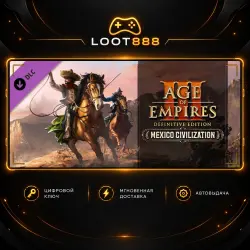
DLC AGE OF EMPIRES III: DEFINITIVE EDITION - MEXICO CIVILIZATION | STEAM | KEY | WORLDWIDE
Important notice
Any third-party trademarks, brand names, and product names referenced on this website are used solely to identify the relevant goods/services and, where applicable, to indicate intended purpose or compatibility. No affiliation, authorization, sponsorship, or endorsement by the trademark owners is implied unless expressly stated.
🟠 LOOT888 • digital products for Steam
🎮 TITLE
Age of Empires III: Definitive Edition - Mexico Civilization
🌍 ACTIVATION REGION
✅ The key can be activated worldwide, including Russia.
✅ Region: WORLDWIDE + RU
⚠️ WARNING
⚠️ Warning! The base game is required to use this content.
🎮 ABOUT THE GAME
This content brings the Mexicans as a playable civilization to Age of Empires III: Definitive Edition for the very first time. The Mexican civilization provides a broad range of new content, including: two new Explorers, a unique Revolution mechanic, 8 units, 2 buildings, and a new Home City with shipment cards specific to the Mexicans, along with the brand new ‘Grito de Dolores’ Historical Battle. In addition, the Mexican Age up mechanic allows the advancement of the civilization by choosing from different States, which provides special shipment cards and bonuses that conform to every playstyle.The Grito de Dolores Historical Battle - As the Bourbon Reforms granted the Spanish elite more power and diminished that of the church, resentment grew among the rural Mexican population. When news of Napoleon Bonaparte's conquest of Spain reached the Americas, the words of a Catholic priest ignited the sparks of revolution.BONUS: Owning both the Mexico Civilization and the United States Civilization will unlock The Battle of Queenston Heights Historical Battle in game.
🔑 HOW TO ACTIVATE
1. Open Steam and sign in to your account.
2. Go to: Games → Activate a Product on Steam.
3. Enter the key you received.
4. Confirm activation and follow the Steam instructions.
⚠️ BEFORE PURCHASE
• Check that the activation region is suitable for your account.
• Make sure the game/edition matches the product you selected.
• After successful activation, the digital key is considered used.
💬 LOOT888 SUPPORT
If you have a question about the product or activation, contact us through the marketplace.
 Top up
 Games
Games Discounts 90%
 AI
AI Windows
 Subsctiptions
 New Games
 Mobile Games