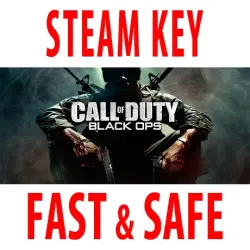
Call of Duty: Black Ops (STEAM KEY) RU/CIS*
Important notice
Any third-party trademarks, brand names, and product names referenced on this website are used solely to identify the relevant goods/services and, where applicable, to indicate intended purpose or compatibility. No affiliation, authorization, sponsorship, or endorsement by the trademark owners is implied unless expressly stated.
Publication type: STEAM KEY / RU / KZ / CIS
⚠️ ATTENTION! This product is intended for use only in the following countries: Russia, Armenia, Azerbaijan, Belarus, Georgia, Kyrgyzstan, Kazakhstan, Tajikistan, Turkmenistan, and Uzbekistan. It will not work in other regions.
🔹 Game Language: Russian (fully)
🔹 Release Date: November 9, 2010
🔹 Platform: Windows
🔹 Region: RU / KZ / CIS* (Russia and CIS countries*)
🔹 Activation: Steam
===========================================
Meet the sequel to the popular game Call of Duty: Modern Warfare 2.
In Call of Duty: Black Ops, you'll have to fight enemies from behind enemy lines, fulfilling your mission as a member of an elite special forces unit, participating in covert warfare, secret operations, and proving yourself in the hottest spots around the globe. Using exclusive weapons and equipment, you can greatly influence the course of military operations taking place during the most dangerous times mankind has ever known.
• A single-player game similar to a Hollywood blockbuster: you will visit many places and take part in various military conflicts, playing the role of an elite group fighter in the most dangerous operations. If you are killed, captured, or detained, no one will help you: the government will deny your existence.
• Iconic multiplayer battles: The Call of Duty multiplayer component, familiar to many players from previous installments, returns with new kill bonuses, special abilities, an advanced character leveling system, an improved weapon customization system, and new game modes.
===========================================
Activation
1️⃣ Download and install the Steam app https://store.steampowered.com (if not already installed)
2️⃣ Create a new Steam account or log in to an existing one
3️⃣ Go to the "Games" section and select "Activate on Steam"
4️⃣ Enter the activation key you purchased
5️⃣ The game will then appear in the application library and it will be possible to install it
 Top up
 Games
Games Discounts 90%
 AI
AI Windows
 Subsctiptions
 New Games
 Mobile Games