
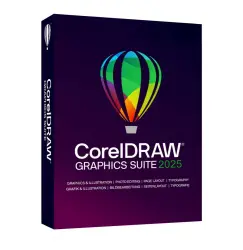
CorelDRAW Graphics Suite 2025 for Windows | One-Time Purchase License
Important notice
Any third-party trademarks, brand names, and product names referenced on this website are used solely to identify the relevant goods/services and, where applicable, to indicate intended purpose or compatibility. No affiliation, authorization, sponsorship, or endorsement by the trademark owners is implied unless expressly stated.
CorelDRAW Graphics Suite 2025 for Windows | One-Time Purchase License
Product: CorelDRAW Graphics Suite 2025 for Windows
License Type: One-Time Purchase License (No Subscription)
Delivery: Digital License Key
Platform: Windows (64-bit)
License Information
✔ One-time payment with no recurring subscription fees.
✔ Licensed for one user.
✔ Installation permitted on up to two devices owned by the licensed user.
✔ Simultaneous use on multiple devices is not permitted.
What You Will Receive
✅ 1× CorelDRAW Graphics Suite 2025 License Key (Digital Delivery)
Included Applications
CorelDRAW® – Vector illustration and page layout
Corel PHOTO-PAINT™ – Professional image editing
Corel® Font Manager
CAPTURE™ – Screen capture utility
Note: CorelDRAW Web is a subscriber-exclusive service and is not included with the one-time purchase license.
System Requirements
Windows 11 (22H2 or later) or Windows 10 (22H2), 64-bit
Intel Core i3/i5/i7/i9 (7th Generation or newer) or AMD Ryzen 3/5/7/9
8 GB RAM minimum (16 GB recommended)
5.5 GB available disk space
OpenCL 1.2 compatible graphics card with 3 GB+ VRAM
Minimum display resolution: 1280 × 720 (1920 × 1080 recommended)
Internet connection required for activation
Installation & Activation
Download the installer from the official CorelDRAW website.
Install the software on your computer.
Sign in to your Corel account or create a new account.
Enter the provided license key.
Complete online activation and start using the software.
Important Notes
Digital license key only. No physical product will be shipped.
This product is supplied as a license key and not as an account transfer.
Internet access is required for initial activation and license verification.
Certain subscriber-exclusive features, services, and future compatibility updates may not be included.
Activation Support
If you encounter activation issues:
Verify that the license key has been entered correctly.
Ensure your internet connection is active.
Restart the application and try again.
Contact support through your order page for assistance.
 Top up
 Games
Games Discounts 90%
 AI
AI Windows
 Subsctiptions
 New Games
 Mobile Games