


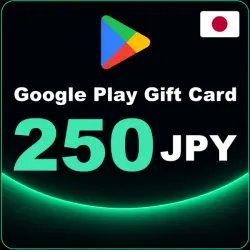
Google Play 250 JPY Japan Gift Card Code — Wallet Top-Up
Important notice
Any third-party trademarks, brand names, and product names referenced on this website are used solely to identify the relevant goods/services and, where applicable, to indicate intended purpose or compatibility. No affiliation, authorization, sponsorship, or endorsement by the trademark owners is implied unless expressly stated.
✅Auto delivery of goods! :)
✅Google Play 250 JPY Japan Gift Card Code — Wallet Top-Up
✅Can activate in: Japan
Google Play 250 JPY gift card code for the Japan region: a wallet top-up code for Google Play. Use the balance for apps, games, in-game items and other digital content in Google Play.
✅ How to redeem:
1. Open the Google Play app and sign in to an account of the Japan region.
2. Tap your profile icon and choose Payments & subscriptions.
3. Select Redeem promo code and enter your code.
4. Confirm — 250 JPY will be added to your Google Play balance.
Important:
✅ The code can only be redeemed on an account of the Japan (JP) region. It will not work on an account from another country.
✅ The face value is shown in the title: 250 JPY.
Why buy here:
✅ Instant automatic delivery: the code appears on your order page right after payment.
✅ Available 24/7.
FAQ:
Where do I get the code? — On your order page right after payment.
Can I use it on an account from another country? — No, only for the Japan region.
What can I spend the balance on? — Purchases in Google Play.
❗Carefully! According to the rules of Google Play, these codes work only in accounts that are created with the real IP of the region you bought, the use is special. Software or fake information will not help you, and Google will easily determine your exact location. If you use third-party programs, for example spec. By default, you are responsible for all risks associated with the key ban. In such cases, we will not be able to provide a replacement code or refund! ❗️You will not be able to activate the replenishment card if you try to change the region of your account through the spec. However, the account must have been initially registered without using special software. If you are located in another region, we are not responsible for activating the card on your account. ,You can find out more information and terms of use of Google Play maps on the official website https://support.google.com/googleplay/topic/3421691 Instructions for activating (using) the product: 1. Go to the website http://play.google.com/redeem . 2. Log in to your account or create a new one. 3. Click "Menu", enter your code and click "Redeem". 4. Activate the code from the gift card. ❗ Special software is Any IP substitution. Google has an almost perfect definition of what you are trying to substitute for your location, we recommend buying this code if you know what you are doing and how to activate it from another country.
 Top up
 Games
 Discounts 90%
 AI
 Windows
 Subsctiptions
 New Games
 Mobile Games