

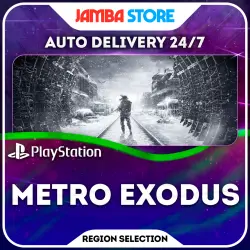
Metro Exodus · PS4/PS5 · Region Selection · AUTO 24/7
Important notice
Any third-party trademarks, brand names, and product names referenced on this website are used solely to identify the relevant goods/services and, where applicable, to indicate intended purpose or compatibility. No affiliation, authorization, sponsorship, or endorsement by the trademark owners is implied unless expressly stated.
About the product
📌 Metro Exodus for {PLATFORM_RU} — the game will be automatically purchased for YOUR PSN account within 10–15 minutes.
🕘 Orders are processed IMMEDIATELY after you submit your account information, 24/7;
♾️ The game is purchased directly to your profile and remains yours forever: this is not a rental or a shared account;
💳 Cheaper than on the PS Store, with payment in rubles.
──────────────────────
🌍 Region guide:
TR - Turkey;
UA - Ukraine;
IN - India;
AE - UAE (United Arab Emirates);
PL - Poland;
US - USA (United States of America).
──────────────────────
🤖 AUTOMATED PURCHASE PROCESS:
1. Select the game edition and the region corresponding to your PSN account;
2. Pay—you’ll be redirected to our website;
3. Enter your PSN account details: username (email), password, and 2–3 recovery codes (MUST be valid!).
✔️ Average processing time: 10–15 minutes after submitting your details
──────────────────────
📋 PREPARE YOUR ACCOUNT BEFORE PAYMENT:
1. Verify that your password and recovery codes are up to date—the order cannot be processed with invalid information;
2. Disable “Passkey” login, set a password, and enable 2FA;
3. Clear your PS Store cart;
4. Disable the password prompt during checkout;
5. Unlink all bank cards from your account;
6. Before purchasing a game on Ukr.UA, use up your account balance (it will be automatically deducted);
7. For the U.S. region, select a tax-free state, such as Oregon.
❗ These steps ensure the fastest possible order processing
──────────────────────
🔒 WHERE TO FIND BACKUP CODES (2FA):
1. Log in to https://store.playstation.com/;
2. Profile icon → “Account Settings”;
3. “Security” section;
4. “Two-Factor Authentication” → “Edit” → enable “Authenticator App”;
5. You will receive a list of 10 recovery codes.
──────────────────────
✉️ Technical support for delivery-related issues is available from 10:00 a.m. to 8:00 p.m. Moscow Time (UTC +3).
──────────────────────
🛡️ SECURITY: Unlike sending data via chat, with us you enter your information into a secure form on the order confirmation page—the information is stored in encrypted form, and once the order is fulfilled, the password and backup codes are automatically deleted.
──────────────────────
⚠️ IMPORTANT:
• Don’t have an account for the region you need? Select “Register a PSN Account”—we’ll provide you with a personal account along with an email address, a pre-purchased game, and instructions;
• (For PS4 games) Before purchasing, check whether the selected region supports the language you need—we are not responsible for the absence of any language in the game;
• By purchasing this item, you agree to the description and additional information. Returns for reasons such as “changed my mind,” “bought the wrong item,” “different region,” etc., will incur a 20% restocking fee. Once a game has been purchased for your account, returns are not possible.
 Top up
 Games
 Discounts 90%
 AI
 Windows
 Subsctiptions
 New Games
 Mobile Games