
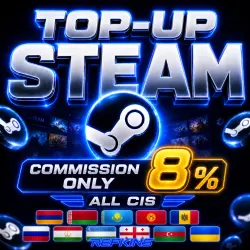
STEAM TOP-UP 8% TOP-UP STEAM AUTO 24/7 CIS USD
Important notice
Any third-party trademarks, brand names, and product names referenced on this website are used solely to identify the relevant goods/services and, where applicable, to indicate intended purpose or compatibility. No affiliation, authorization, sponsorship, or endorsement by the trademark owners is implied unless expressly stated.
About the product
🚀 AUTOMATIC DELIVERY 24/7
🔥 Our advantages:
🟢 The best price on the market.
🟢 Exchange rate at: https://steam-currency.ru/
🟢 Funds are credited in 5-10 seconds after the page loads.
🛒 How to buy?
1️⃣ After payment, you will be automatically redirected to our website to receive funds.
2️⃣ Your balance will be replenished in a few seconds!
‼️ If you made a mistake in writing the Steam login, the funds will not be returned! The order has been completed in full.
WE REFILL RUSSIA, KAZAKHSTAN, UKRAINE, KYRGYZSTAN, UZBEKISTAN, AND OTHER CIS COUNTRIES
PAY US IN RUBLES AND YOU WILL RECEIVE THE CURRENCY OF THE REGION LINKED TO YOUR ACCOUNT
❗️ Features of topping up for Crimea, LPR and DPR:
🔒 To avoid Steam blocking, follow these steps:
Close the Steam client 30-45 minutes before payment.
Disable mobile Internet or put your phone in airplane mode.
After successful top-up, you can turn on Steam again.
💡 Track the process via email: Steam will send a confirmation.
❗️ Changing your IP location or offline mode is necessary because Steam blocks payments from these regions.
⚠️ Important for new accounts:
If your account has never been replenished, then you should not replenish a new account with a large amount. Because Steam can change the region to the CIS in USD currency, and the prices will become higher.
We recommend that you first add free games to your account or order the service of changing the region to Kazakhstan🇰🇿 or Ukraine🇺🇦, since we do not have any obligations if the region of your account has changed.
💳 To change the region, the account must be replenished with a local card at least once.
💡 Tip: Specify an amount 1-2 rubles more to accurately receive the desired amount.
🎮 Fast, convenient, safe! Top up and enjoy shopping on Steam!
 Top up
 Games
Games Discounts 90%
 AI
AI Mobile Games
 Game Pass
 New Games
 Nintendo